
HTML Beautifier Tool: Clean Messy Code Instantly
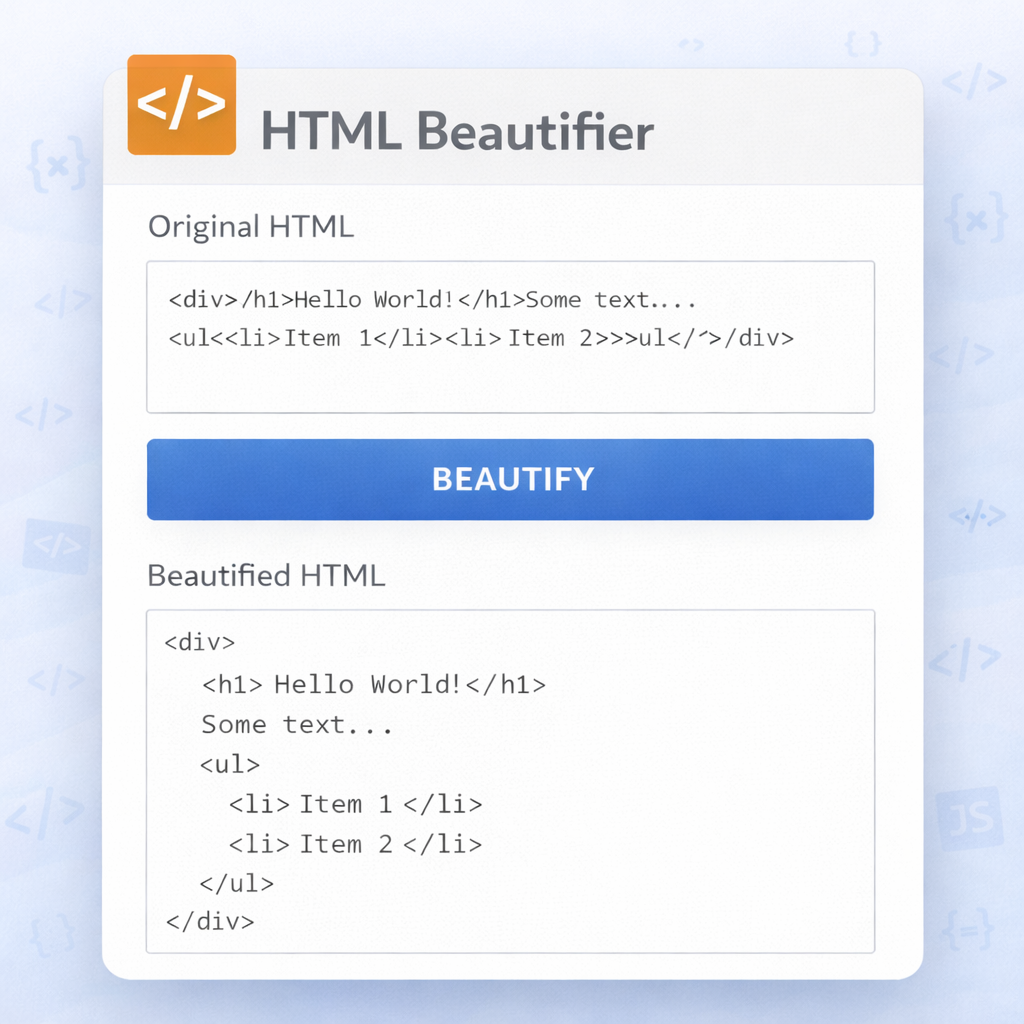
You know that feeling when you open an HTML file and it looks like someone just threw everything into one long messy line? No spacing, no indentation, tags all stuck together like they had a fight. I’ve been there so many times it’s not even funny anymore. A couple of weeks ago I was helping my cousin fix his small business website. He had copied some product descriptions from an old email and when I opened the file, it was just one giant block of HTML. Finding the heading, the paragraphs, or the images was almost impossible. I sat there for almost half an hour just trying to understand what was what before I could even start editing.
That’s when I remembered there’s a simple tool for this — an HTML Beautifier. I pasted the messy code into Skarry’s HTML Beautifier, clicked one button, and suddenly everything had proper line breaks, clean indentation, and the whole file became readable again. It felt like someone had finally organised my messy cupboard. Since that day, I use this tool almost every time I work with HTML.
In plain words, an HTML Beautifier takes ugly, minified, or badly formatted HTML code and makes it look clean and organised. It adds proper spacing, indentation, and line breaks so you can actually see which tags are inside which sections. It doesn’t change what the code does — it just makes it much easier for a human to read and work with.
I used to think this was a small thing and didn’t matter much. But after working with HTML for a while, I realised how much time and frustration it saves. Messy code slows you down, makes debugging harder, and increases the chance of making mistakes. A good beautifier fixes all that in seconds.
Why Messy HTML Happens So Often
There are many reasons why HTML ends up looking terrible. Sometimes you copy code from another website or from an email. Sometimes you minify the code to make the page load faster and then forget to keep the original readable version. Sometimes you’re working quickly and don’t bother with proper formatting. Or you get code from a designer or another developer who has their own style.
I’ve seen all these situations. One time a friend sent me a complete webpage that was completely minified. It was over 800 lines of HTML smashed into one long block. Trying to edit anything in that mess was painful. After beautifying it, I could actually see the structure — header, main content, footer, everything was clear.
Another common case is when you work with templates or code generators. They often output minified HTML to save space. When you want to customise it, you first need to make it readable.
How Skarry’s HTML Beautifier Works
Skarry’s tool is very straightforward. You go to the HTML Beautifier page on Skarry.com. There are two boxes — one for the messy code and one for the clean result.
You paste your HTML code into the input box. Then you click the “Beautify” button. In a second or two, the output box shows the same code but with proper indentation, line breaks, and spacing.
You can then copy the beautified code and use it wherever you need — in your website, blog post, or project. I usually do it in two steps. First I beautify, then I quickly read through it to make sure everything looks correct.
The tool lets you choose different indentation styles — 2 spaces, 4 spaces, or tabs. I usually go with 2 spaces because it keeps the file from becoming too long vertically.
Real Situations Where I Use This Tool
I use the HTML Beautifier almost every time I work on a website. When I copy code from tutorials or CodePen, it often comes minified or poorly formatted. One click and it becomes clean.
When I receive HTML from a designer or another developer, I beautify it before starting any changes. It helps me understand the structure quickly.
For my own projects, I beautify the code before committing it to version control. It makes the code easier to review later.
Even for small fixes, like adding a new section or fixing a bug, I first beautify the file so I can see clearly what I’m working with.
My Personal Tips After Using It for Months
Here are some things I’ve learned from using this tool regularly:
- Always beautify before making big changes. It’s much easier to work with clean code.
- If the code is very large, I sometimes beautify it in parts so I can check the result more easily.
- After beautifying, I quickly scan for any strange formatting. Most of the time it’s perfect, but occasionally nested tags need a second look.
- I keep the original messy version saved somewhere in case I need to compare later.
- When working with team members, I always send beautified code. It reduces confusion and makes collaboration smoother.
I also noticed that beautified code is much easier to debug. When something is not working, you can quickly see which section has the problem.
Common Problems People Face With HTML Code
Messy HTML causes several issues:
- It’s hard to find specific sections
- Debugging becomes slow and frustrating
- Chance of making mistakes increases
- Collaboration with other developers becomes difficult
- The code looks unprofessional
A simple beautifier fixes most of these problems in seconds. It doesn’t make your code better functionally, but it makes it much easier to work with.
Why This Tool Still Matters in 2026
Even with all the advanced editors and AI tools available today, messy HTML is still very common. People copy code from different sources, work quickly under deadlines, or receive minified code from templates. A simple, reliable beautifier remains one of the most practical tools for anyone who works with HTML.
Skarry’s version is completely free, works instantly, and doesn’t ask for anything in return. That kind of honesty is rare these days and I really appreciate it.
For bloggers, small business owners, students, and developers, having a quick way to clean up HTML code saves time and makes your work look more professional.
My Honest Opinion
I used to think formatting was a small thing and didn’t matter much. Now I realise how much time and frustration it saves. Clean code is easier to read, easier to maintain, and easier to share with others.
Skarry’s HTML Beautifier has become part of my regular workflow. Whenever I open a new HTML file that looks messy, the first thing I do is run it through the beautifier.
If you work with HTML — even occasionally — I really suggest you keep this tool bookmarked. Go to Skarry.com, open the HTML Beautifier, paste your messy code, and see how clean it becomes.
You don’t need to be a professional developer to use it. You don’t need to understand every tag. You just paste and click. The tool does the rest.
I wish I had known about this tool earlier. It would have saved me so many frustrating hours of trying to read badly formatted code.
Next time you open an HTML file and it looks like a mess, don’t struggle. Just use the beautifier. It takes almost no time and makes your code look clean and professional again.